
The shipment queue
Status meanings, the filters that scope the queue, and how to find a stuck parcel fast.
AdminOperator
Updated 2026-06-04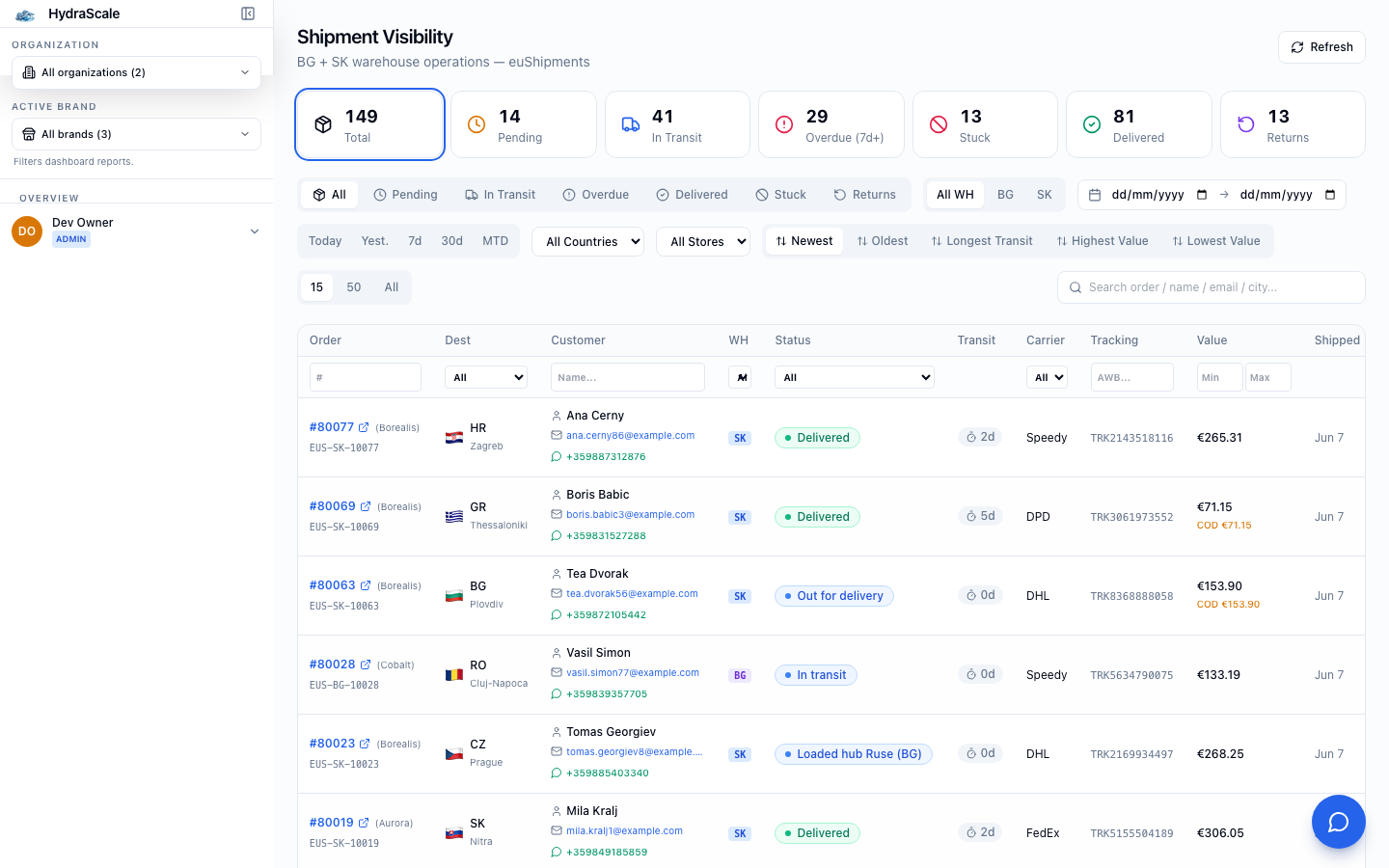
From order to doorstep
Every euShipments parcel lands here mapped to a canonical status — pending, in transit, delivered, or stuck. Operators live on this page: it's the daily fulfilment cockpit.
Status tabs
- All / Pending / In Transit / Delivered
- The normal lifecycle of a parcel. Pending = not yet handed to the carrier.
- Stuck / Overdue
- Parcels that have gone quiet or blown past their expected delivery — your priority queue.
- Returns / Delivery Issue
- Parcels coming back to stock, or flagged with a delivery problem (failed attempt, bad address).
Filters & search
- Store / Country / Carrier
- Scope the queue to one store, destination market, or shipping partner (All Stores / All Countries by default).
- Shipped date range (From / To, Clear)
- Limit to parcels shipped in a window; 'Clear date filter' resets it.
- Order-value Min / Max
- Focus on high-value parcels worth chasing first.
- Search
- Find a shipment by order number, customer name, email, city, or AWB tracking number.
Acting on a parcel
- Send stuck-shipment template
- Fire a pre-written customer update for a parcel that's gone quiet, straight from the row.
- Open shipment detail
- Drill into a parcel for its full event timeline, carrier, destination and order link.