
Managing users & permissions
Creating users, assigning roles, the per-section permission editor, invites, and store scope.
Admin
Updated 2026-06-04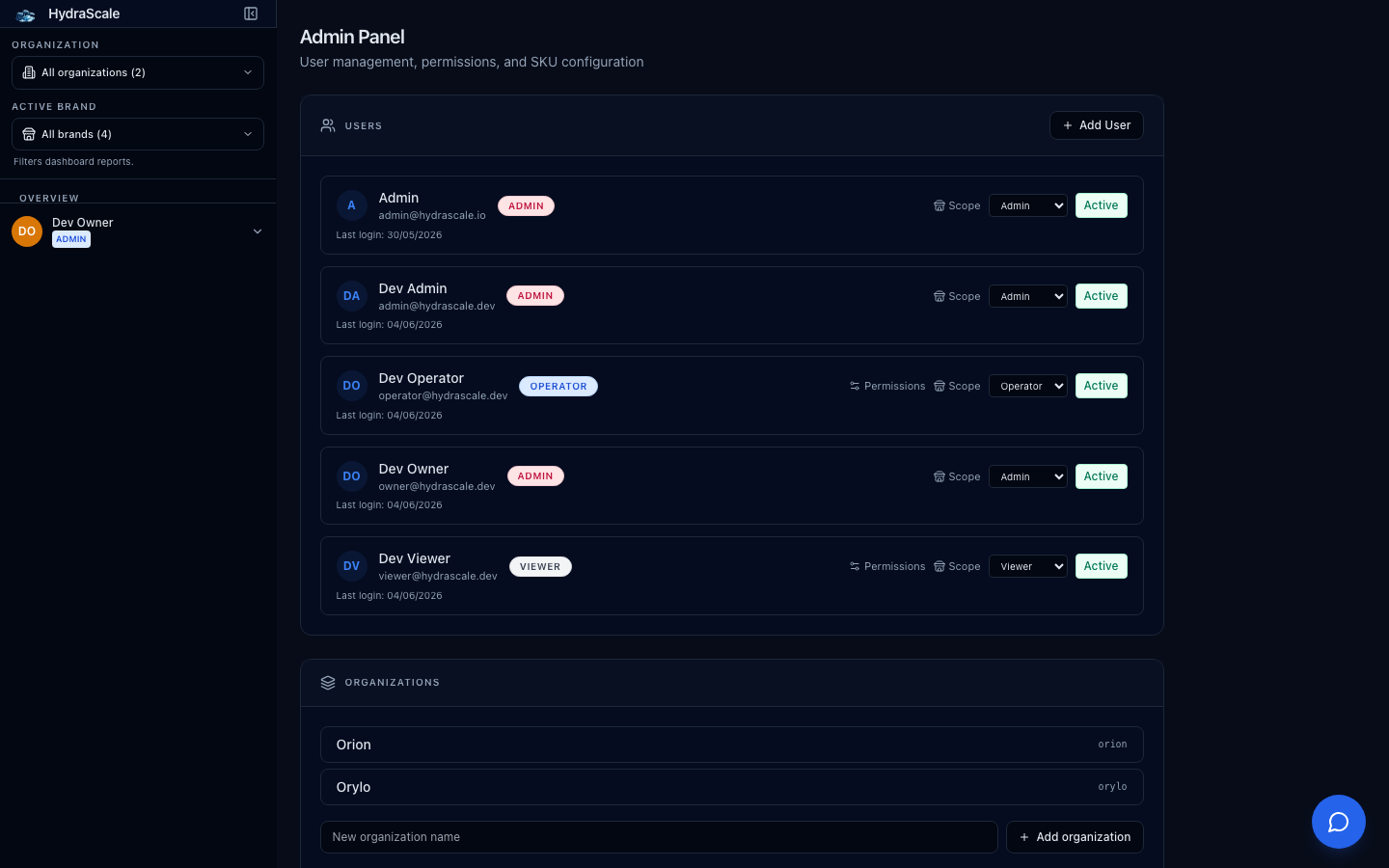
The admin panel
The Admin panel is where a workspace admin manages people. It's admin-only — operators and viewers never see it. Everything here is scoped to your own organization; you can never touch another tenant's users.
Users & roles
- Create user (email, name, password, role)Admin
- Add a teammate directly. Role is one of Admin, Operator, or Viewer — the same three roles documented across this knowledge base.
- Change roleAdmin
- Promote or demote between Admin / Operator / Viewer. Admins get everything; the other two are shaped by the permission editor.
- Per-section permission editorAdmin
- For non-admin users, toggle access section by section. The editor is generated from the same registry that drives the nav and the API guards, so what you grant is exactly what they can reach — including granting a viewer read access to a section.
- Store-scope editorAdmin
- Limit a user to specific stores within the org. Empty = all stores in the org.
- DeactivateAdmin
- Disable a user without deleting their audit history.
Invitations
- Invite by email + roleAdmin
- Generate an invite link for a teammate to join the org with a chosen membership role.